Estimated reading time: 8 minutes
Key takeaways
- Basic reporting tools can lead to expensive rewrites as needs grow.
- List & Label offers a scalable solution designed for .NET applications.
- A specialist SDK can reduce technical debt and enhance team efficiency.
- Investing in the right reporting tool early can save time and costs later.
Table of contents
- How “just PDF and Excel” turns into a rewrite
- Why .NET teams hit the reporting wall
- Start with a specialist reporting SDK instead of a stopgap
- How this affects your .NET application strategy
- When it’s worth evaluating List & Label
- Next steps: Assess your reporting stack before it forces your hand
How “just PDF and Excel” turns into a rewrite
Most .NET teams don’t plan to build an enterprise-grade reporting platform. You start with a concrete requirement: generate a few PDFs, offer an Excel export, print invoices. A lightweight reporting component drops cleanly into a sprint, the sample code compiles, and you move on.
Then the product meets real users. Marketing asks for documents that match corporate branding and agency-level designs. Sales needs per-region templates. Finance and legal add compliance constraints and auditability requirements. Product wants interactive dashboards with drilldown. Operations starts running large batch jobs overnight. Management wants business users to adjust layouts without waiting for developers.
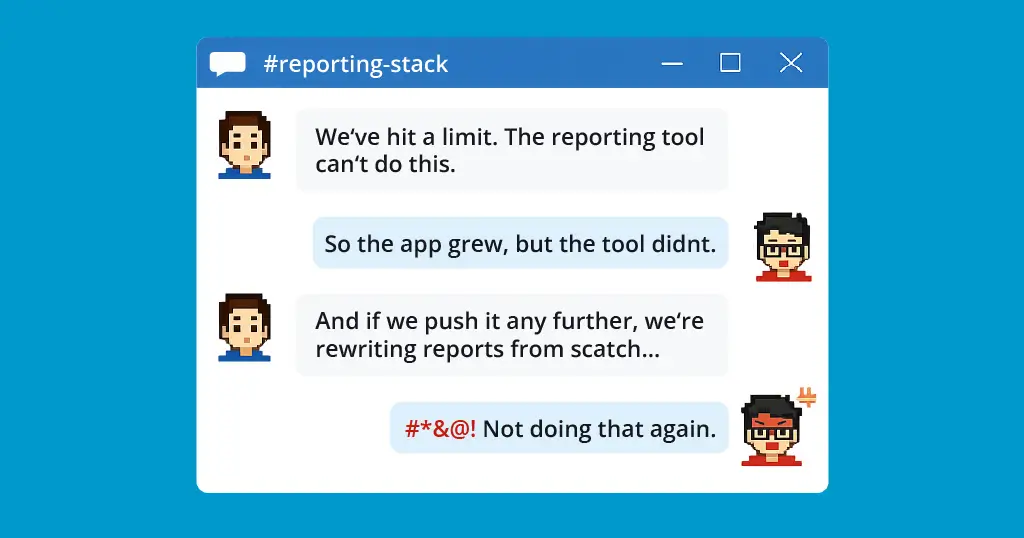
The reporting library you picked for the first release becomes the constraint: ad‑hoc scripts, undocumented flags, and layout rules scattered across C# code. At some point, someone says what everyone already knows: “We’re going to have to replace this.”
This post looks at why that pattern is so common in .NET applications and how starting with a specialist reporting SDK like List & Label changes the long-term cost curve.
Why .NET teams hit the reporting wall
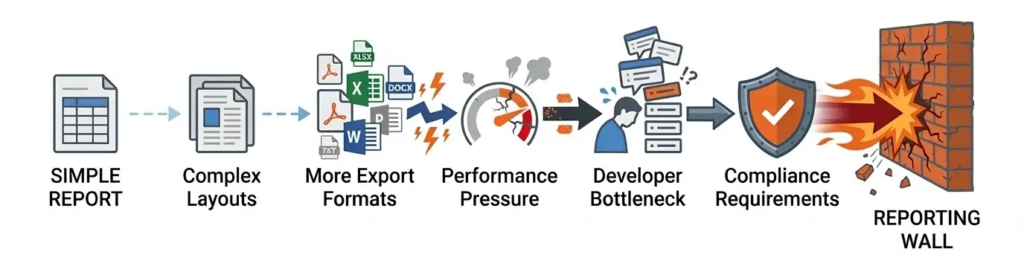
Basic reporting tools work well early in a product’s life: predictable data, simple layouts, and few stakeholders. But as products grow, reporting complexity expands quickly—and often in multiple directions at once.
1. Layouts evolve from tables to documents
Reports often start as simple tables—an invoice or order list. Over time they become full documents with multi-page layouts, conditional sections, charts, images, legal text, and localization.
With lightweight reporting libraries, this complexity often ends up in application code: if/else layout logic, hard-coded coordinates, and text fragments assembled manually.
Soon even small layout changes require developer time and a deployment—essentially turning your app into a custom document engine.
2. Export formats multiply
PDF and Excel may be enough at first. But once reports become business-critical, new formats appear:
- Word or PowerPoint
- HTML, XML, or JSON for integrations
- PDF/A for archiving
- Regulatory formats like ZUGFeRD or XRechnung
If your reporting stack doesn’t support them natively, teams bolt on extra tools and exporters—creating fragile pipelines and more maintenance.
3. Performance becomes a reliability issue
At small scale, slow reports are just annoying. At larger scale, they break things.
Large datasets, concurrent exports, and complex layouts can exhaust memory, cause API timeouts, and fail scheduled jobs—making the system look unreliable when report generation is the real bottleneck.
4. Developers become the reporting bottleneck
As reporting grows, sending every layout change through developers stops scaling. Business users want to modify templates themselves.
Without a proper design environment, developers stay the bottleneck—or teams try to build internal editors that rarely hold up in practice.
5. Compliance arrives late—but hits hard
Regulated industries bring strict requirements: PDF/A archiving, e-invoicing formats, and reproducible documents.
If your reporting stack wasn’t built for compliance, meeting those requirements later can turn a small feature request into a major migration.
Start with a specialist reporting SDK instead of a stopgap
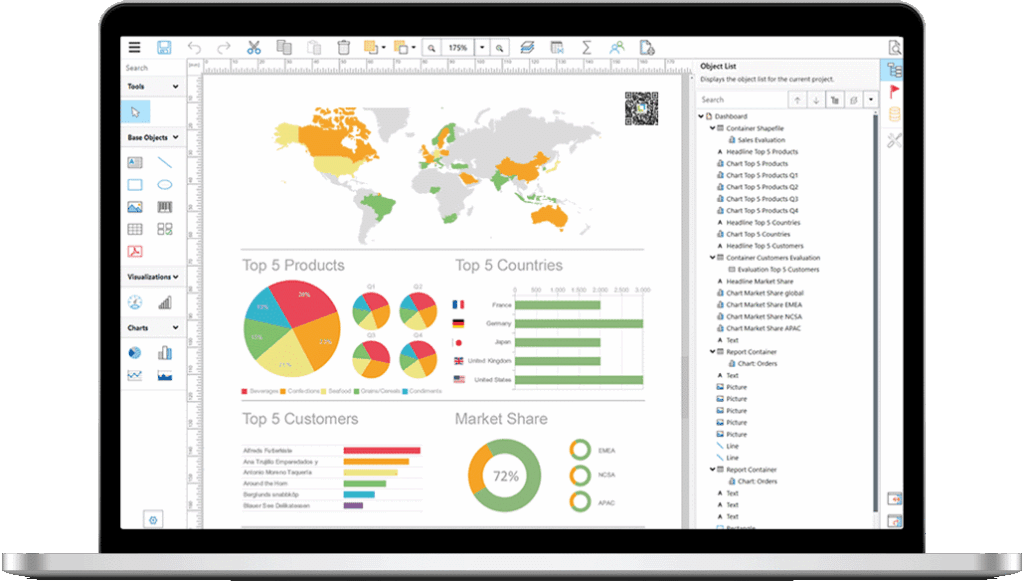
If your .NET application is meant to live for years, reporting isn’t a temporary feature—it’s part of your product. List & Label is built for that reality: a reporting SDK for .NET that supports everything from simple reports to complex document workflows without forcing a mid-life rewrite.
An engine that grows with your requirements
You can start with simple lists or charts and expand as your needs grow. The same engine supports advanced capabilities like multi-section reports, hierarchical data, cross-tables, dashboards, drilldown navigation, conditional formatting, and reusable components like subreports and templates.
Instead of replacing your reporting tool as complexity increases, you simply enable features already built into the SDK.
.NET-first integration without lock-in
List & Label integrates directly into your .NET application rather than dictating your architecture. You keep your existing domain model and data access layer while supplying data through built-in providers, custom sources, or your own abstractions.
Design, preview, print, and export workflows are triggered from your code, making the SDK usable across desktop apps, web apps, and services. Designers can run inside WinForms, WPF, or .NET MAUI apps, or be exposed in browser-based applications through web components.
A report designer built for business users, controlled by developers
The built-in designer allows business users to create and modify reports without touching code. Developers define the available fields, relations, and functions, while users work with drag-and-drop layouts and expression editors.
This removes many routine reporting changes—like layout adjustments, column changes, or text updates—from the development queue.
One definition, many export targets
A single report definition can produce multiple formats, including:
- PDF and PDF/A
- Excel, Word, and PowerPoint
- HTML, XML, and JSON
- Image formats
- E-invoice formats like ZUGFeRD/Factur-X
Because everything runs through one engine, output stays consistent across formats.
Performance characteristics that match real workloads
List & Label is designed for production reporting scenarios: large datasets, concurrent users, server-side generation, and scheduled jobs. It supports streaming data handling, configurable memory behavior, and scalable deployment patterns.
Long-term stability and backward compatibility
Reports often remain in use for years. List & Label focuses on backward compatibility and stable rendering behavior so existing reports continue to work across versions, with clear migration paths when changes are required.
How this affects your .NET application strategy
Choosing a reporting tool early in a project is often framed as a short-term decision about which library makes it easiest to generate PDFs or spreadsheets. In practice, you are making a longer-term decision about how reporting work will flow through your team and how much technical debt you are willing to accept.
A specialist SDK like List & Label changes a few key dynamics. Developer time shifts from hand-coding layouts and exports to defining data contracts and extension points. Business users gain meaningful autonomy to design and maintain documents within guardrails you define. Compliance, export breadth, and scalability are solved by capabilities that already exist instead of one-off solutions. Most importantly, you avoid having to allocate time and budget for a full reporting rewrite when your initial tool hits its ceiling.
When it’s worth evaluating List & Label
It makes sense to look at a more capable reporting foundation if any of the following are true for your .NET application:
- You are starting a new system where reporting will be part of the product, not an afterthought.
- Your current reporting library is already under strain from layout complexity, missing export formats, or throughput issues.
- Developers are the only ones who can modify reports, and they are spending a noticeable share of time on layout and formatting work.
- You are entering markets that introduce compliance, archiving, or e‑invoicing obligations.
- You need one reporting engine that you can use across desktop clients, web applications, and background services.
If you recognize your own environment in that list, you are in the same position as many teams that eventually end up planning a reporting migration. The difference is whether you address it deliberately now or react when the current tool becomes a blocker.
Next steps: Assess your reporting stack before it forces your hand
You do not need production issues to start evaluating your options. Treat reporting like any other architectural dependency and assess it against where your product is actually heading. Map the reporting capabilities you have today against what you expect to need in the next one to three years: layout complexity, export breadth, performance and scaling, end-user design, and compliance. Identify where your current component is already close to its limits or where you are relying on brittle workarounds.
Then compare that map to what a dedicated reporting SDK such as List & Label offers, both in terms of feature coverage and in terms of integration into your existing .NET codebase. The cost of moving early—while you can control the migration scope—is usually far lower than being forced into a rewrite under pressure because the business has outgrown the tools you started with.
FAQ
Basic reporting tools are often suitable for initial requirements but can quickly become limiting, leading to costly rewrites.
List & Label provides an engine that supports complex layouts, numerous export formats, and performance tailored for high-volume workloads.
Consider switching if your current tools are limiting growth, causing developer bottlenecks, or hindering compliance and export requirements.
Self-service design allows non-developers to modify reports and layouts directly without specialized coding knowledge, improving efficiency and ownership.
Evaluate your current capabilities against future needs, identifying areas that fall short or require brittle workarounds.

Working in Marketing for List & Label, creating Videos, Blogposts and Social Posts.