Lightning-fast Ad-hoc Design with Report Server 3

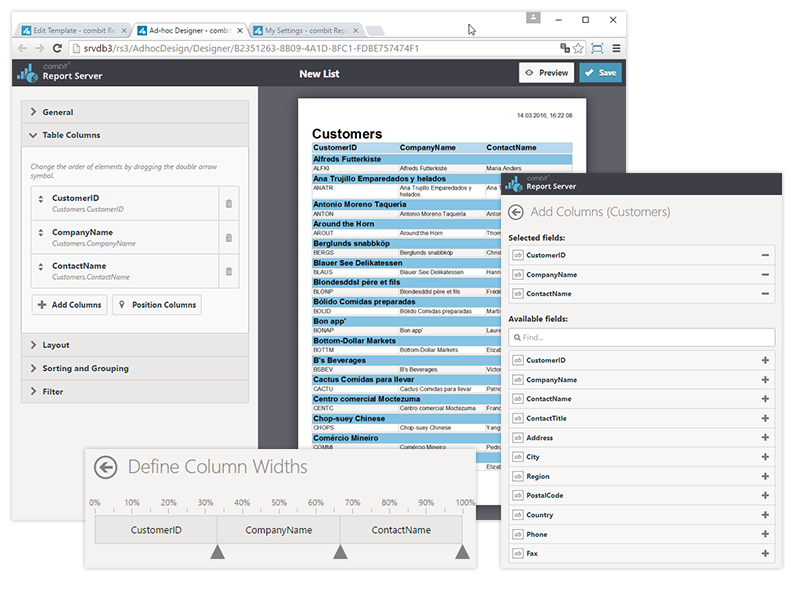
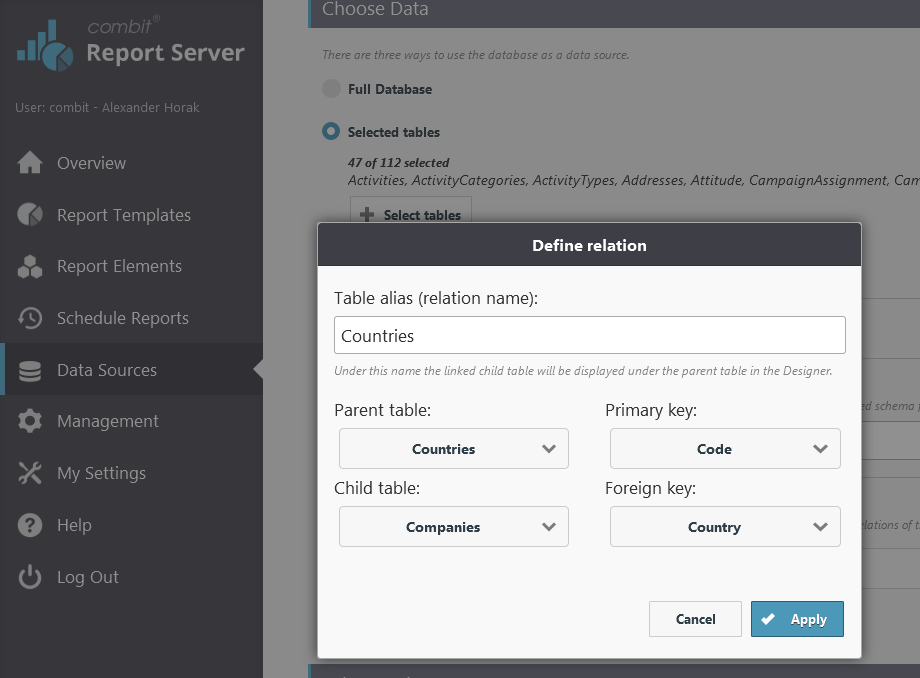
With combit Report Server 3, you now also have the ad-hoc Designer in addition to the design features from previous versions. Ad-hoc Design wizards enable you to create lists and diagrams (charts) quickly and easily. This combination equips the reliable and powerful Report Server with a quick and streamlined interface that is perfect for generating simple reports. The interface of the new wizards has also been optimized for devices that support touch-screen technology, which allows it to be easily operated on tablet devices as well.

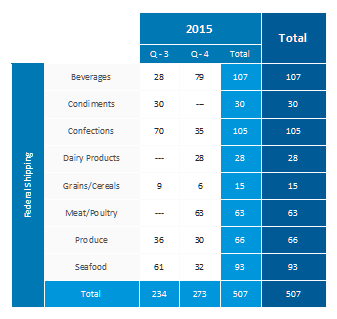
Enabling Multiple Result Cells for Crosstabs

enabling multiple result cells for crosstabs
As this was one of the most frequent requested features in our feedback portal and we hadn't visited the crosstab's features for a couple of versions, this feature was an easy pick. A crosstab is aggregating values and groups them by two or even more dimensions. Until version 22, there was exactly one aggregation possible, e.g. you could have either the number of orders or the revenue sum per customer and year, not both. In LL22, there is no limit anymore.

Progress OpenEdge Reporting Tool List & Label 21

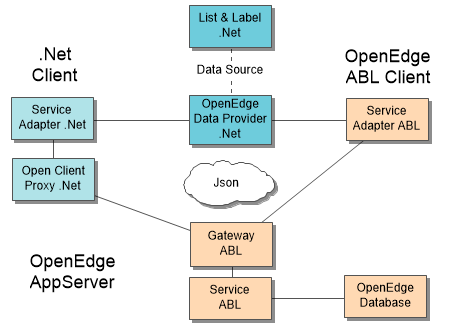
This time we feature a guest post from our partner and developer colleague Thomas Wurl. About two years ago, Thomas developed a free data provider for Progress OpenEdge available for all List & Label customers. While this provider was adopted successfully by many Progress users, it suffered some restrictions. So Thomas decided to restart from scratch and came up with an incredibly fast and powerful new solution. Here's his story. 

Introducing C++ Support for Multiple Report Containers

During our Roadshow this fall, the question I was asked the most was “why do you support certain features only for .NET”. Most notably, multiple report containers (since LL20) and nested tables (since LL21) were only available for .NET databinding. The reason for this is the necessity to support a special and – until now – undocumented COM interface for passing the data to List & Label. We decided to leave this interface undocumented in version 20 in order to be free to apply changes without breaking customer code. We had to make sure the interface was ripe. Now we are and here we go.

Further Finetuning in the Designer

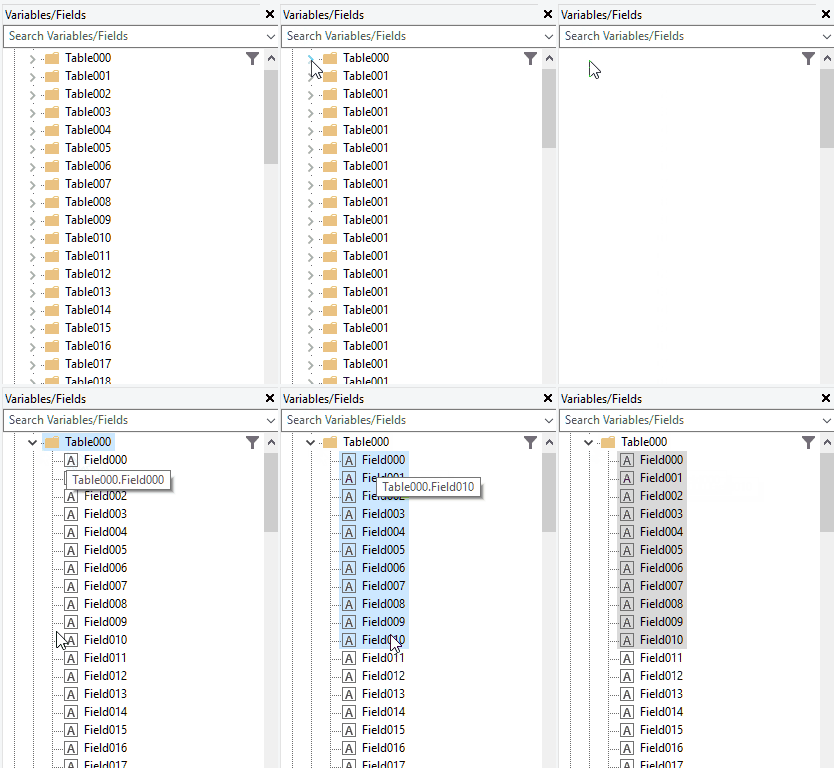
As with every release, we've added a lot of finetuning to the Designer and its objects. We haven't been able to cover each of the new features in the past LL21 blogpost feature marathon – there are just too many gems to uncover. So here are some of these new Designer features you don't want to miss that make working with LL smoother than ever before.

Enhanced PDF Export

png in pdf export before result
The PDF export in List & Label 21 supports Type3 fonts as embedding option. Unicode and symbol characters are stored as Glyphs in this embedding mode. This way, these fonts are supported optimally – you no longer need to download font packages for your favorite PDF viewer.

Scripting Support in Functions

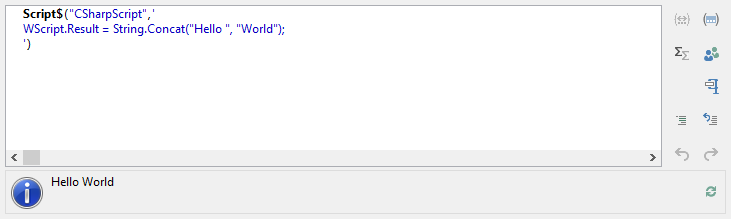
List & Label has a very powerful formula language. Most manipulations one could think of are possible out of the box or can be realized by using a user defined designer function. However, the latter requires you as a developer to think of the need before deploying your application. In LL21, we'll introduce a new feature that allows to use C# or scripting host languages like VBScript directly in the function wizard.