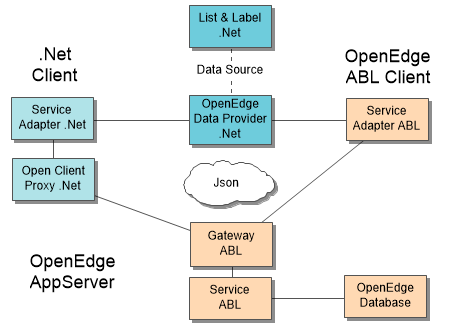
This time we feature a guest post from our partner and developer colleague Thomas Wurl. About two years ago, Thomas developed a free data provider for Progress OpenEdge available for all List & Label customers. While this provider was adopted successfully by many Progress users, it suffered some restrictions. So Thomas decided to restart from scratch and came up with an incredibly fast and powerful new solution. Here's his story.
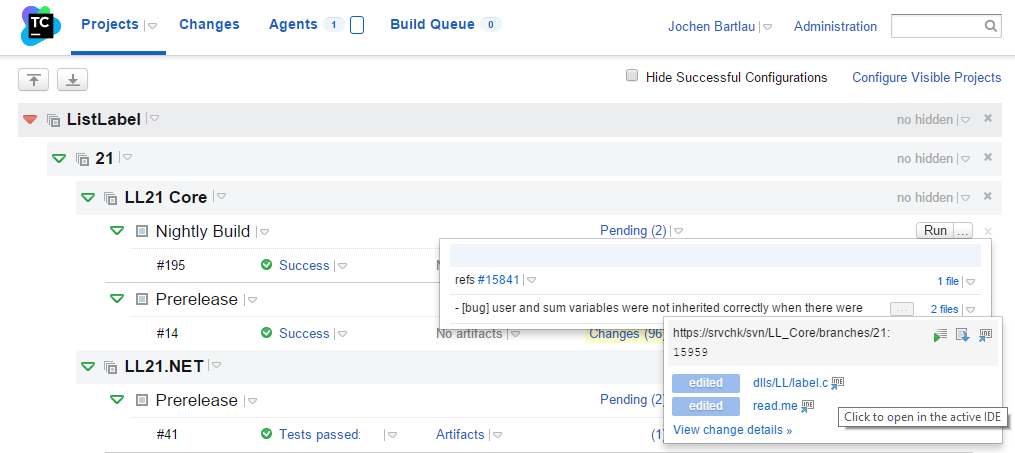
I'd like to take the time after the release of LL21 to give you a short tour of what our ALM tool chain looks like. You probably have the same needs and challenges in your everyday jobs that we have. It was a process of trial and error until we arrived at our current configuration. While we are happy with it for the time being, it's always good to keep an eye on new stuff – so this is the current state of development as of 01/2016 :-).
During our Roadshow this fall, the question I was asked the most was "why do you support certain features only for .NET". Most notably, multiple report containers (since LL20) and nested tables (since LL21) were only available for .NET databinding. The reason for this is the necessity to support a special and – until now – undocumented COM interface for passing the data to List & Label. We decided to leave this interface undocumented in version 20 in order to be free to apply changes without breaking customer code. We had to make sure the interface was ripe. Now we are and here we go.
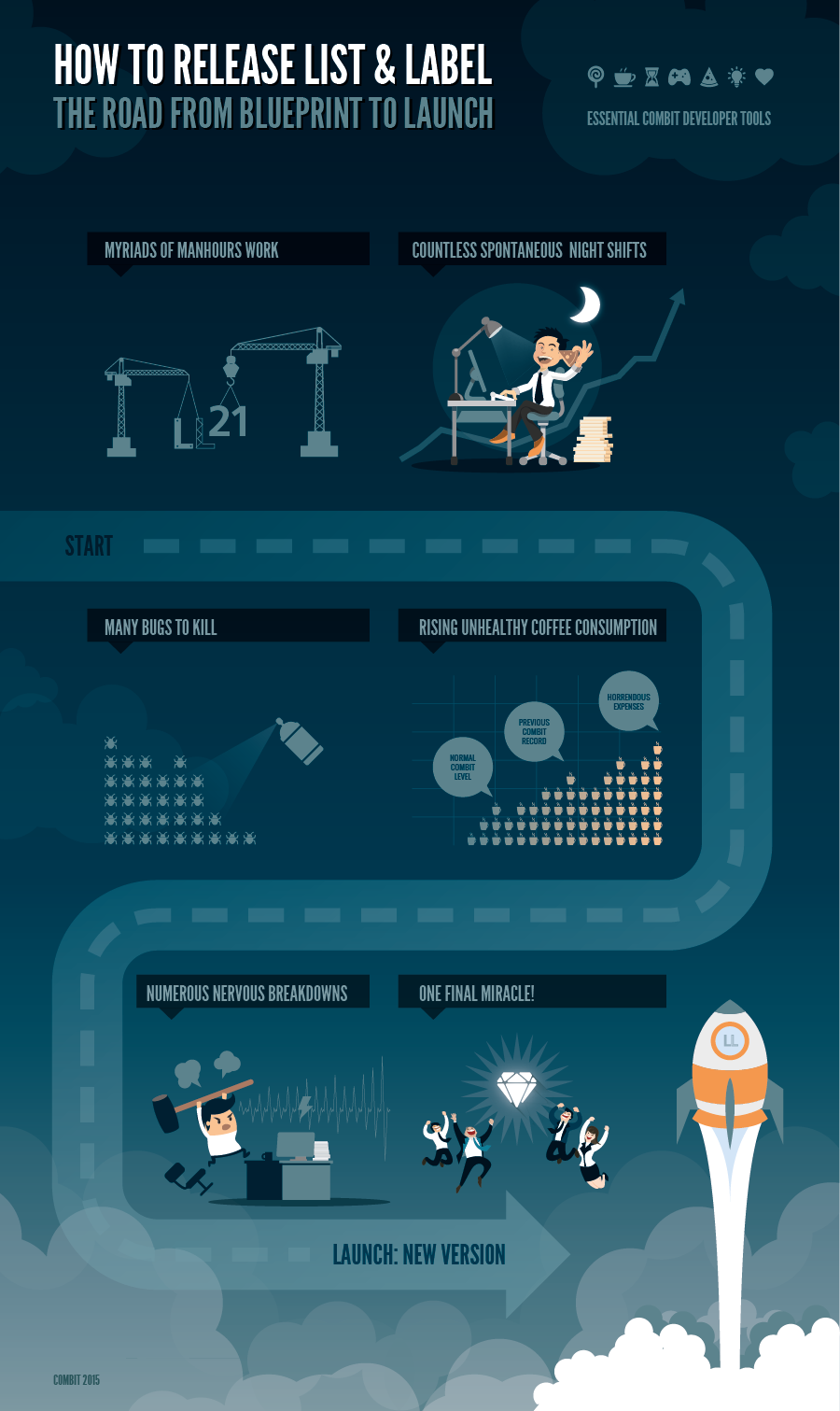
We're quickly approaching the final release of List & Label 21. As you surely know from your own practice, release times are hard times ;-). You are moving constantly between madness and excitement. To visualize the long and challenging road we're about to finish, we created the following infographic.
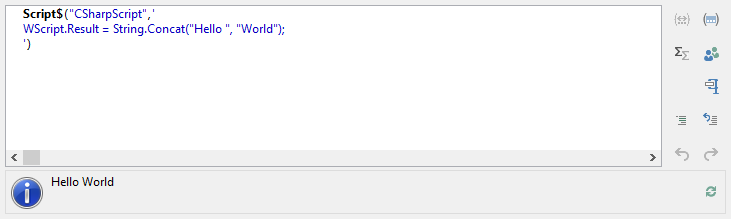
List & Label has a very powerful formula language. Most manipulations one could think of are possible out of the box or can be realized by using a user defined designer function. However, the latter requires you as a developer to think of the need before deploying your application. In LL21, we'll introduce a new feature that allows to use C# or scripting host languages like VBScript directly in the function wizard.
In List & Label 21 the Designer optionally saves the current project to a backup location. If the Designer is not closed properly (i.e. system crash, unexpected shutdown or even power outage) you can easily restore the last state and don't lose hours but rather minutes of work.
The ObjectDataProvider is one of the key providers we ship with LL. It binds to generic lists just as well as to EntityFramework or other Object Relational Mapper data. It is also the final fallback for all datasources that cannot be handled by one of the other providers. In LL21, the provider got a couple of new features for the .NET 4.0 assembly.
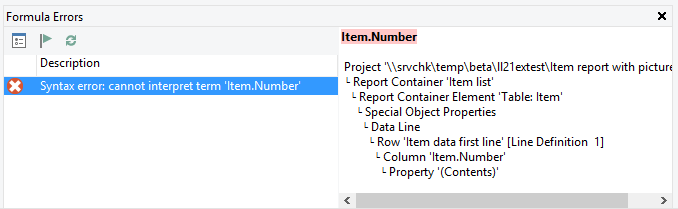
One of the most frequently requested features via our feedback portal and a feature we were thinking of for quite a while. Before, if a project contained syntax errors (e.g. it had typos or you renamed a field in the data source) you got a massive dialog containing the source of the error, however no easy way to fix it from there. Additionally, this dialog popped up for each and every error so most of you will probably just have clicked the "OK for all" button and started to investigate manually. This was a time consuming, tedious task which often ended up in opening and closing the designer until all errors were fixed.
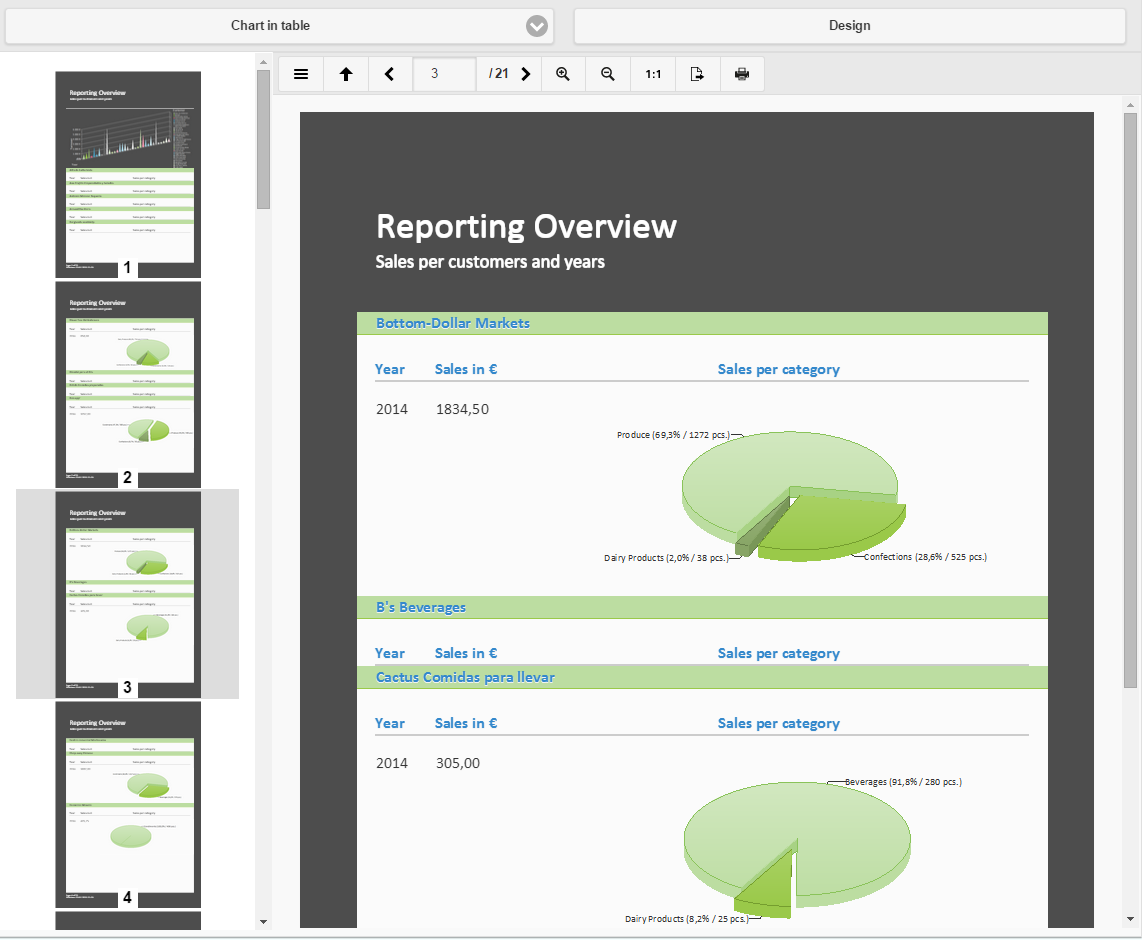
HTML5 is one of our reference formats for web reporting applications. We also use it as the premier format in our combit Report Server. In LL20, we had first introduced this viewer. In LL21, it will get a brand new thumbnail bar, making navigation even easier.
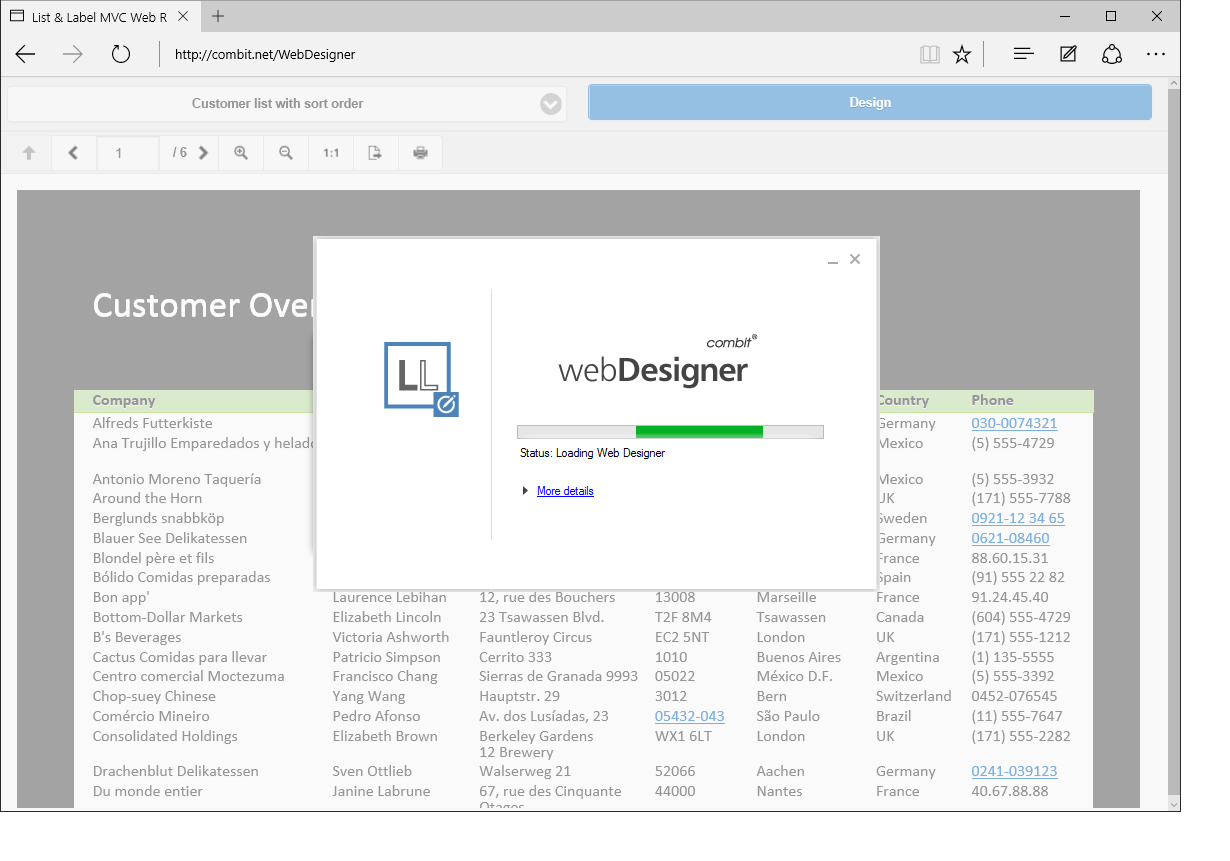
Until version 21, we used browser specific plug-ins or ActiveX controls in order to display the Designer right in the browser. However, browser vendors are more and more restrictive and begin to ban plugins from their browsers altogether. Thus, it was time for a new technology.