Vastly Improved PDF Export

PDF Export List & Label

PDF is by far the most important export format and one of the targets virtually every user is actually working with. Over the years, we've employed a number of different SDKs and versions of these SDKs in order to write decent PDF files. While the results were excellent already for "normal" cases, there were a couple of restrictions in more advanced scenarios. This has changed in version 26.

New Service Pack 26.002 for List & Label and the Report Server

service pack 26.002

The second Service Pack for List & Label 26 has been released and contains many new features and improvements. We have listed them all for you in this blogpost. The individual entries were taken directly from the English Readme.

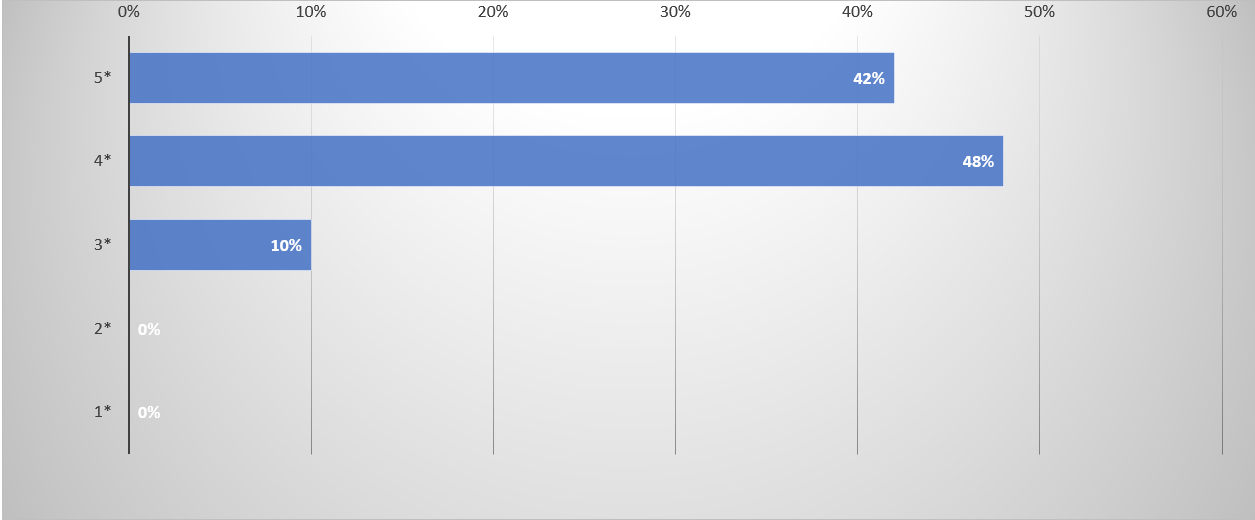
Results of the List & Label Survey 2021

Thanks to all participants for taking the time to answer our questions. One thing that I can say straight away: your time was well invested. Your feedback has given us many good ideas and suggestions on how we can further improve List & Label and which new features and technologies are important to you. We do not want to withhold the results, so here are your answers from the survey.

Service Pack 26.001 for List & Label and the Report Server

service pack box 26.001 in screen

The first Service Pack for List & Label 26 has been released. What are the new features and improvements? In this blog post we give you an overview. Each entry was taken directly from the English Readme.

Finally – a Glance in the Crystal Ball

An often required feature for "this cannot be done" type of problems is looking into the future. Things like "don't print this group if it doesn't contain record xy" or "print a reference to the page number of an item that's printed way later". Before List & Label 26, there was no simple solution to this and the magic had to be done in the application if possible at all. Starting with List & Label 26, we'll introduce a new feature that's aimed at solving exactly challenges like this.