How to Automatically Export Reports to Cloud Storage Services

With List & Label you can export reports in different formats like PDF, Word, Excel and many more. The resulting reports can either be stored directly in the file system or – in .NET – in a stream, in order to transfer them manually into a database, a document management system or similar. Reports can also be automatically stored directly in so-called cloud storage services. The cloud storage providers for GoogleDrive, Microsoft OneDrive or Dropbox are available in List & Label for .NET for this purpose.

New Connection to Microsoft Flow for the Report Server

Microsoft Flow allows you to define your own processes and workflows based on various triggers. More than 200 services such as Office 365, Facebook, WordPress etc. are available for this purpose, which can interact with each other in the workflows (called flows). These services offer actions as well as triggers, such as when a file is created (on Google Drive, DropBox or also on alternative services like e.g. box) or when a mail is received. Each flow has a trigger and may have multiple actions. This article describes how to connect combit Report Server to Microsoft Flow.

Use Rscript Visualizations for Your Reports

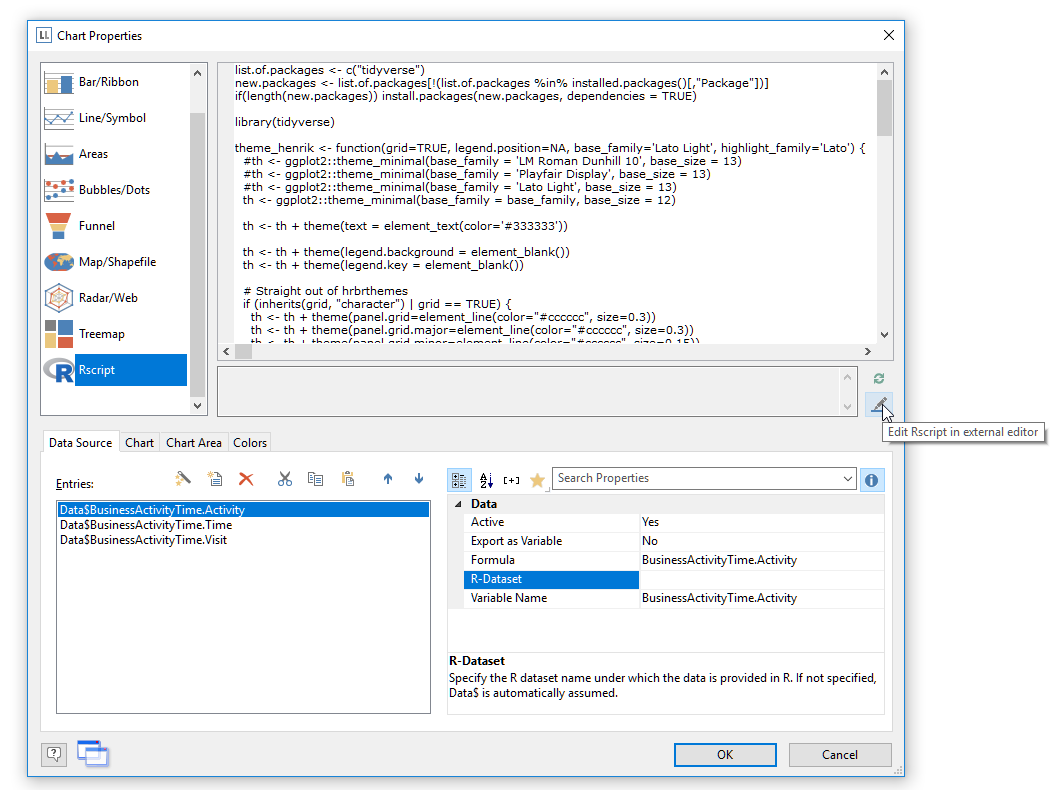
rscript for data visualization

While List & Label's charts offer a lot of visualization types and are extended almost every version, there are way too many visualization types to support them all. Thus, requests for new chart visualizations keep bubbling up in our feedback portal. On the other hand, Rscript is a well established language specialized for statistical computing and graphics that supports any visualization I can think of. So it absolutely makes sense to add Rscript output to the available chart visualization and include the best of both worlds – List & Label's versatility for report layout and data access and Rscript's deluge of visualization types. And that's just what we did for the Enterprise Edition of List & Label 24.

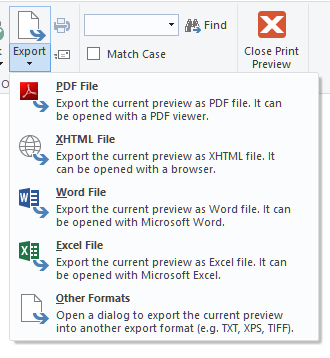
Export Files Directly From the Preview

So far, it hasn't been possible to export to all of our export formats from the preview window. The simple reason is that we're using the EMF file format internally while the exporters need completely different information that cannot be extracted from the EMF. Thus, we were only able to support image file formats and – of course – PDF, which is created from EMF vector information.

Fun With the Major Upcoming Winter Sports Event in Pyeongchang

As you might know, this year’s Winter Sports Event will start just by the end of the week. I have to circumlocate the actual name of the event as those people really mean “Trademark” when they say it. Let’s call it simply “Games” for the rest of this article, which hopefully should be safe. Anyway, I thought this would be a good opportunity to do some statistics with my favorite reporting tool.

New Features in the Report Server – Part 2

select chart type

As promised, today I’d like to report on even more of the updates in Report Server 23. The updates are particularly impressive in the ad-hoc Designer, which provides support for fast creation of simple tables and diagrams. As opposed to the extensive Report Server Designer, only the most important setting options are provided here. In addition, the ad-hoc Designer is likewise available as a separate component in List & Label 23.