List & Label Reporting Blog
New Service Pack 30.004 for List & Label and the Report Server
 By
ByService Pack 30.004 for List & Label and the Report Server is now available. This update focuses on performance improvements for exports, usability enhancements in the Web Report Designer, and several security updates for third-party libraries.
New VCL Component for Delphi Developers
 By
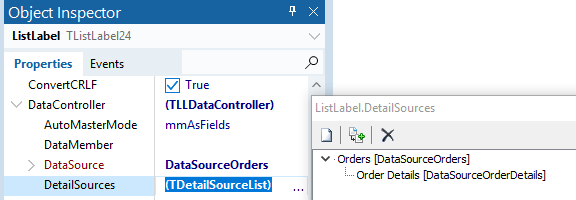
ByIt’s been a while since the original announcement back in June 2016, but hey, we’re finally there. Today marks the release of a brand new VCL component that uses the data provider interface and FireDAC at its core.

New DataProvider for Redis
Redis is an in-memory key-value database, so a typical NoSQL database. Since its initial release in 2009, it has become quite popular and now is, according to db-engines.com by far the most popular key-value database out there. With the new RedisDataProvider you can now use your Redis database within List & Label or Report Server.
Swagger and OpenAPI Support for Report Server REST API
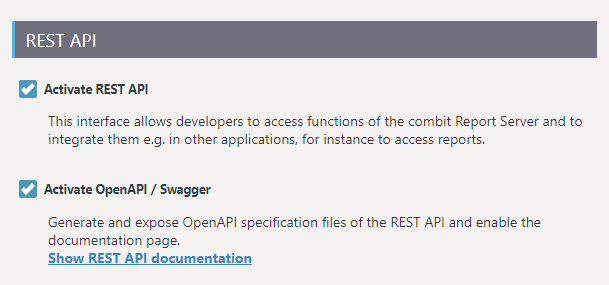
The OpenAPI Specification (OAS) defines a standard interface description for REST APIs, which allows both humans and computers to discover and understand the capabilities of a service without requiring access to source code, additional documentation, or inspection of network traffic.

Miscellaneous Treats in LL24
While I've been blogging about the major and most-UI-visible features during the last few months, of course there are gazillions of minor and less visible changes underneath the hood in LL24. This blog post sums up some more reasons to be cheerful.
Customizing the Preview’s Look & Feel
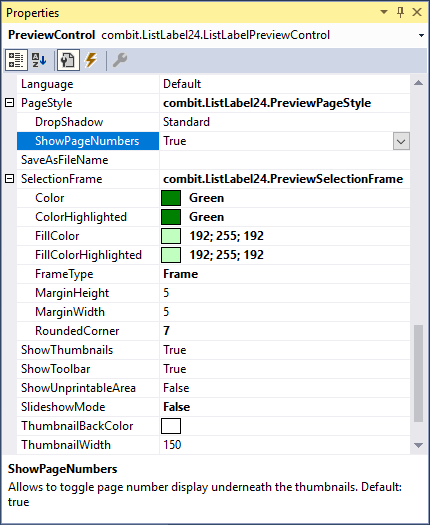
Since the introduction of our feature portal three years ago, it has become an important driver for our innovation. If you filter for "available in latest version", you'll find some fourty features we've built into the product on your request. So here comes a big "thank you" to everyone participating! Your help, effort and ideas are more than welcome anytime. Of course, we've implemented some of the top voted demands into LL24. One of them has been to enable the customization of the preview window's look and feel.
Add Your Custom Objects and Functions to the Web Designer
Extensibility is a first class citizen in the List & Label universe. You can add your own functions and objects to the Designer, enabling complex calculations within your code or custom objects. However, there was one important link missing so far – all this code just runs on the desktop. If your application runs on a server and you're using the Web Designer you're hosed – until version 24.
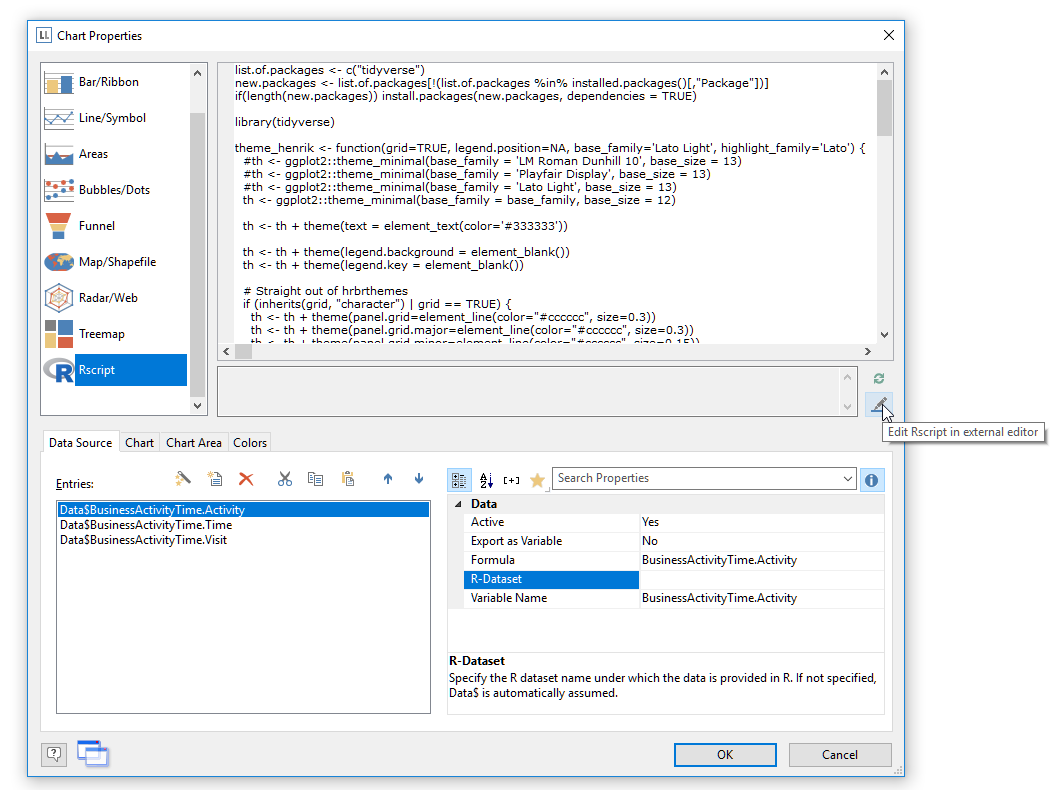
Use Rscript Visualizations for Your Reports
While List & Label’s charts offer a lot of visualization types and are extended almost every version, there are way too many visualization types to support them all. Thus, requests for new chart visualizations keep bubbling up in our feedback portal. On the other hand, Rscript is a well established language specialized for statistical computing and graphics that supports any visualization I can think of. So it absolutely makes sense to add Rscript output to the available chart visualization and include the best of both worlds – List & Label’s versatility for report layout and data access and Rscript’s deluge of visualization types. And that’s just what we did for the Enterprise Edition of List & Label 24.
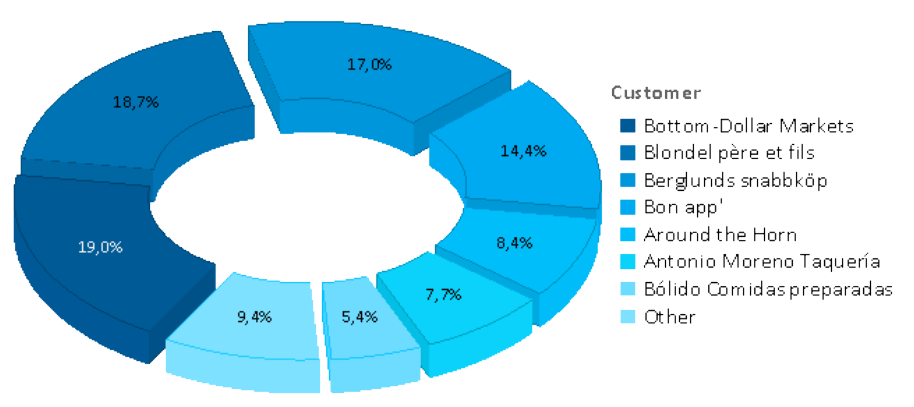
Vastly Improved Chart Rendering in the Browser
Over the years, we kept improving our chart engine with each version. We’ve added Donut, Radar and Treemap charts and offered new layout options. However, if your charts were to be rendered in the browser, the only available formats so far have been PNG or JPEG, leaving you with exactly two options: either have great quality and huge file sizes or a swift download and poor rendering quality. There was no option to combine both (and I’m not thinking “huge download and poor quality” here ). In LL24, this is going to change.
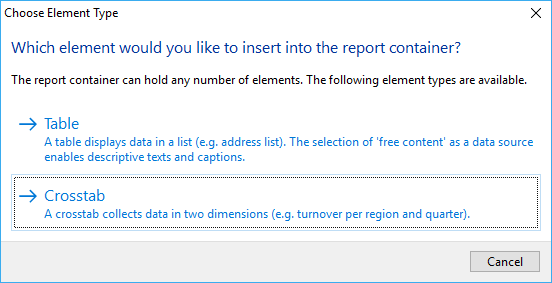
Creating Pivot/Crosstabs via Drag & Drop
A pivot/crosstab does a great job in aggregating your data and helps to spot trends and outliers. We’ve put great effort in enhancing our pivot/crosstab support for the last few versions. However, although there’s a nice wizard to get you started, usability testing showed that even creating simple pivot/crosstabs was still a challenging task for some users. That’s something we hope to change with LL24.
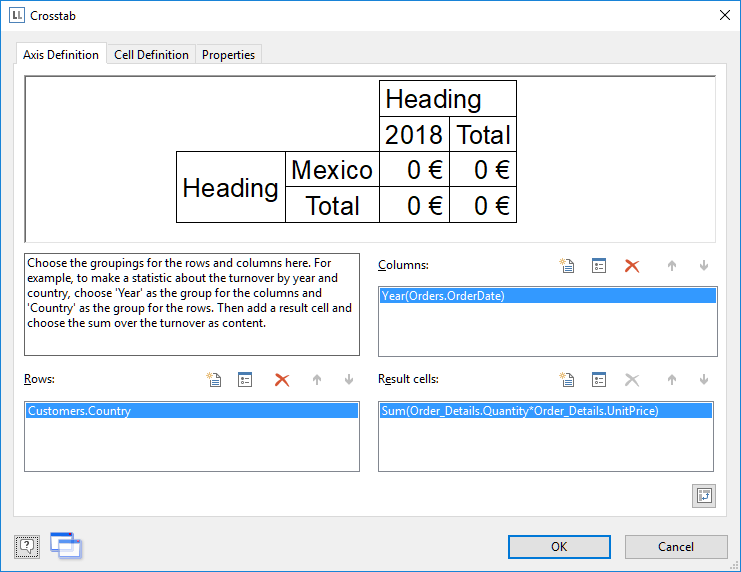
Converting Crosstabs to Charts and Vice Versa With List & Label
Crosstabs and charts have a lot in common. Often I find myself designing a crosstab for e.g. the sales per country. This works fine to get the absolute or even relative numbers. However, to get a visual impression of the fractions for a dashboard, I add a chart 99% of the time that shows just the same data as the crosstab.


